Over the last few weeks, I’ve talked with a lot of different people about AI, design and software. The idea I find most fascinating right now is adaptive software.
It isn’t a new idea:
People shouldn’t have to adapt to software. Software should adapt to how people think, how they lose focus, and how they forget.
This week, that idea turned into an app on my phone. Here’s how.
A one-minute tour. The demo and screenshots use example data.
The problem: I was adapting to my notes app
I use Claude for a lot of different projects and topics. My software engineering studies: roadmaps for learning backend, and whatever else I need to learn. Lists of books on emotional design and conversational AI design. My house: interior design, furniture, all of it.
Some of those answers were really useful, like a list of books or a roadmap for learning backend. I wanted to save them. But there was no option for that inside Claude, so I copied and pasted them into the notes on my phone.
Standard Apple Notes isn’t great for this. I ended up with dozens of folders, with dozens of notes in each. And what upset me even more: the notes didn’t keep Claude’s formatting. Headings, lists and bold text turned into scattered plain text. It was very uninspiring to read.
I didn’t want to go looking for a new app either. The last time I needed a tool like this, for saving code snippets, I lost a whole day choosing one, never sure my data wouldn’t disappear when the company changed direction.
Either way, I’d be the one adapting: to someone else’s folders, someone else’s formatting, someone else’s idea of how notes should work.
The turn: a tool that adapted to me
Claude didn’t have that feature. So I found a way to build it myself, inside Claude.
And the even bigger discovery: I could build it straight in the chat. Not in Claude Code, not in a code editor. Straight in the chat, in plain words.
I started with my longest conversation, the one where I think through my career, ideas and posts. Half an hour later I had a small searchable app, built just for me. And I can pin it in Claude, so it’s always there whenever I need it.
A day to pick someone else’s app, versus half an hour to build my own.
It kept adapting
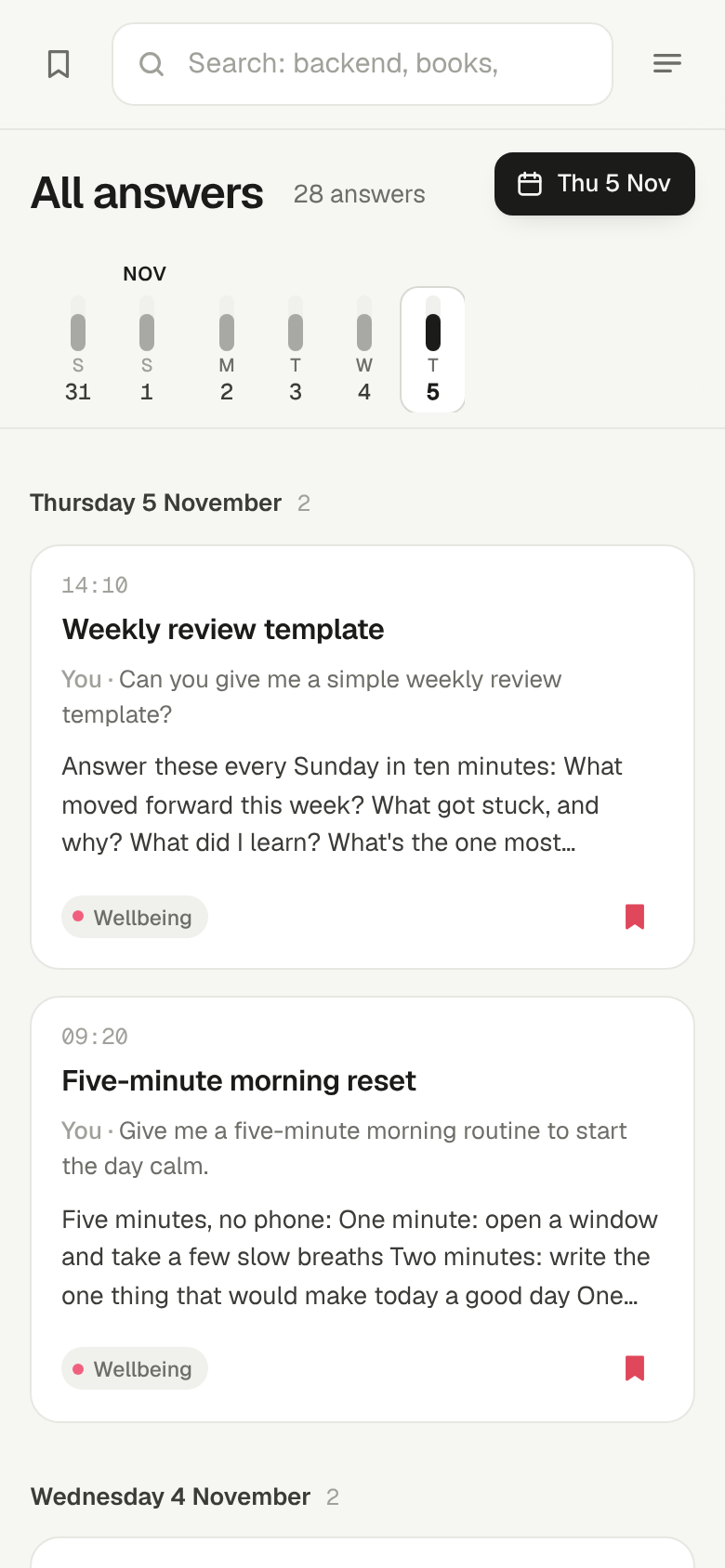
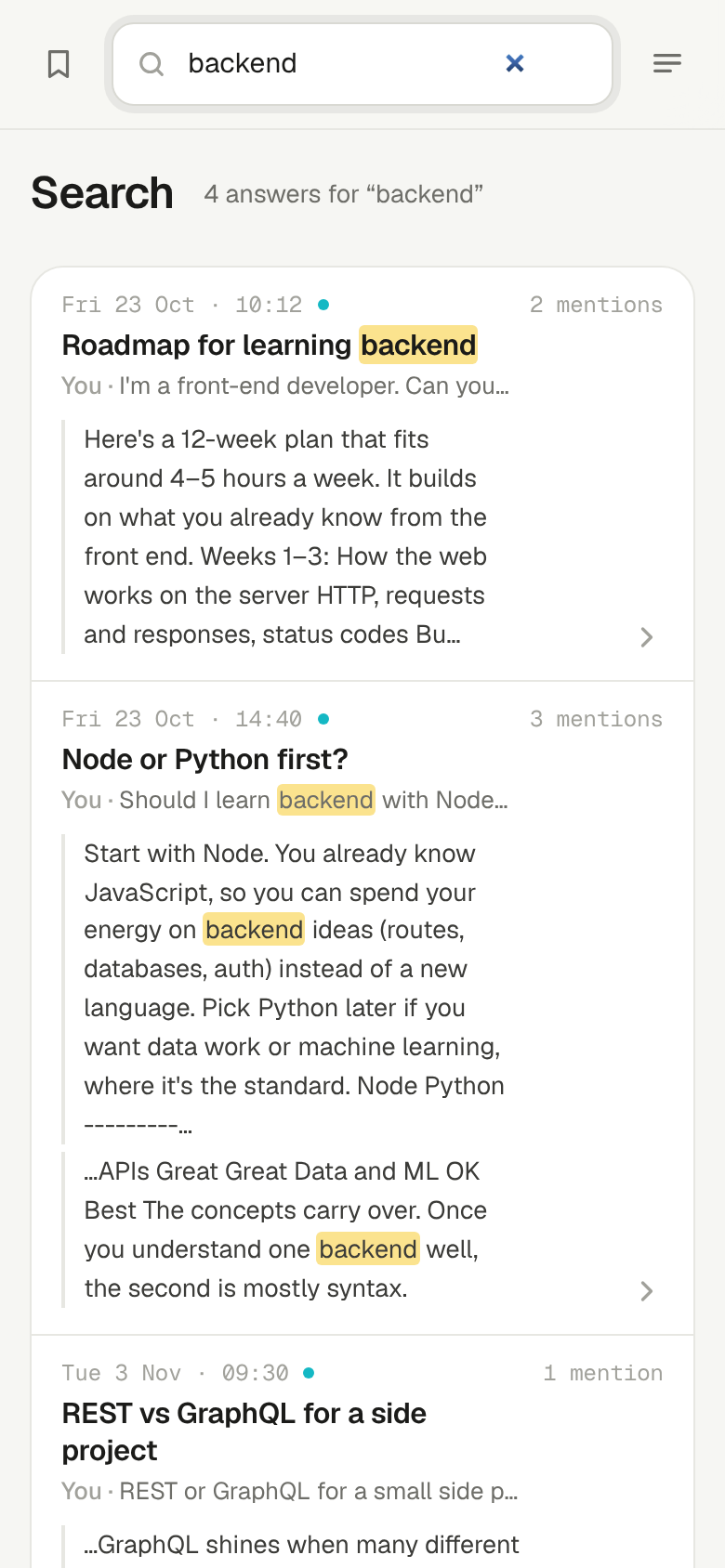
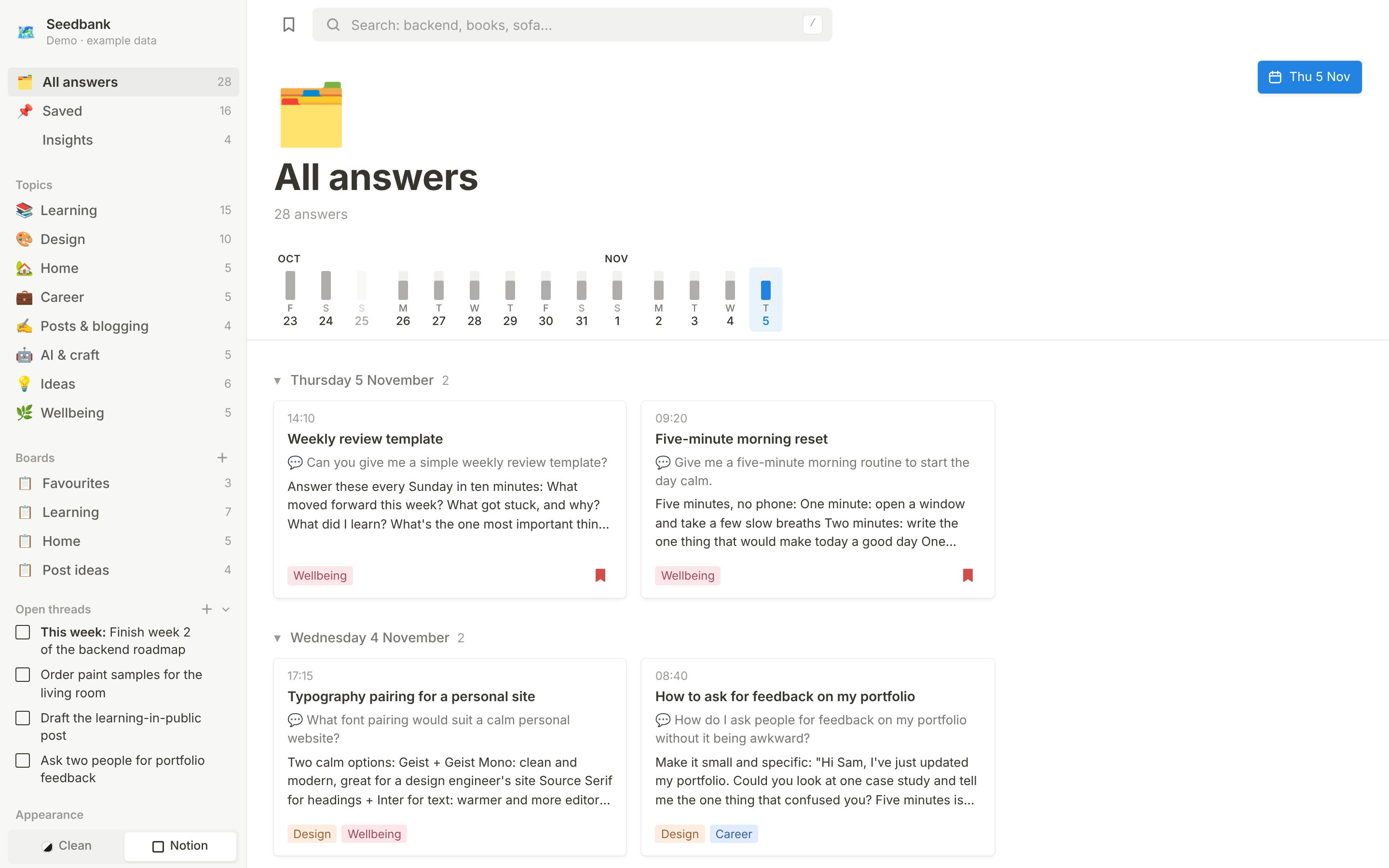
It started as a search page: every question I’d asked since 23 October, grouped by day. Finally, a search that finds and shows individual answers inside one chat, unlike the one Claude has today.
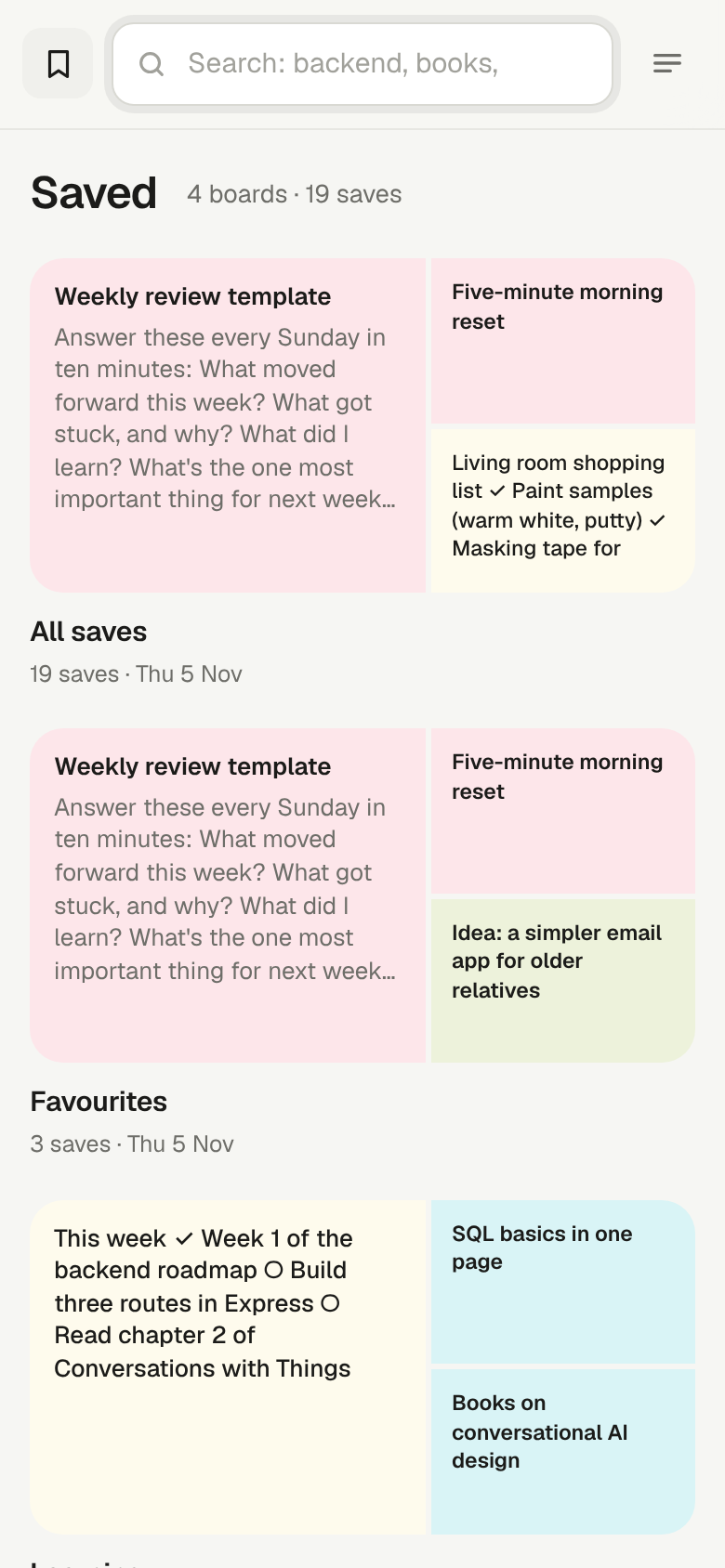
Then I wanted to keep the best answers, the thing I’d wanted from the start, so we added boards, like Pinterest. The answers keep their formatting, so they’re nice to read again.
Then I wanted to see how my ideas connect, so we added Insights: Claude reads my questions and points out patterns I hadn’t noticed.
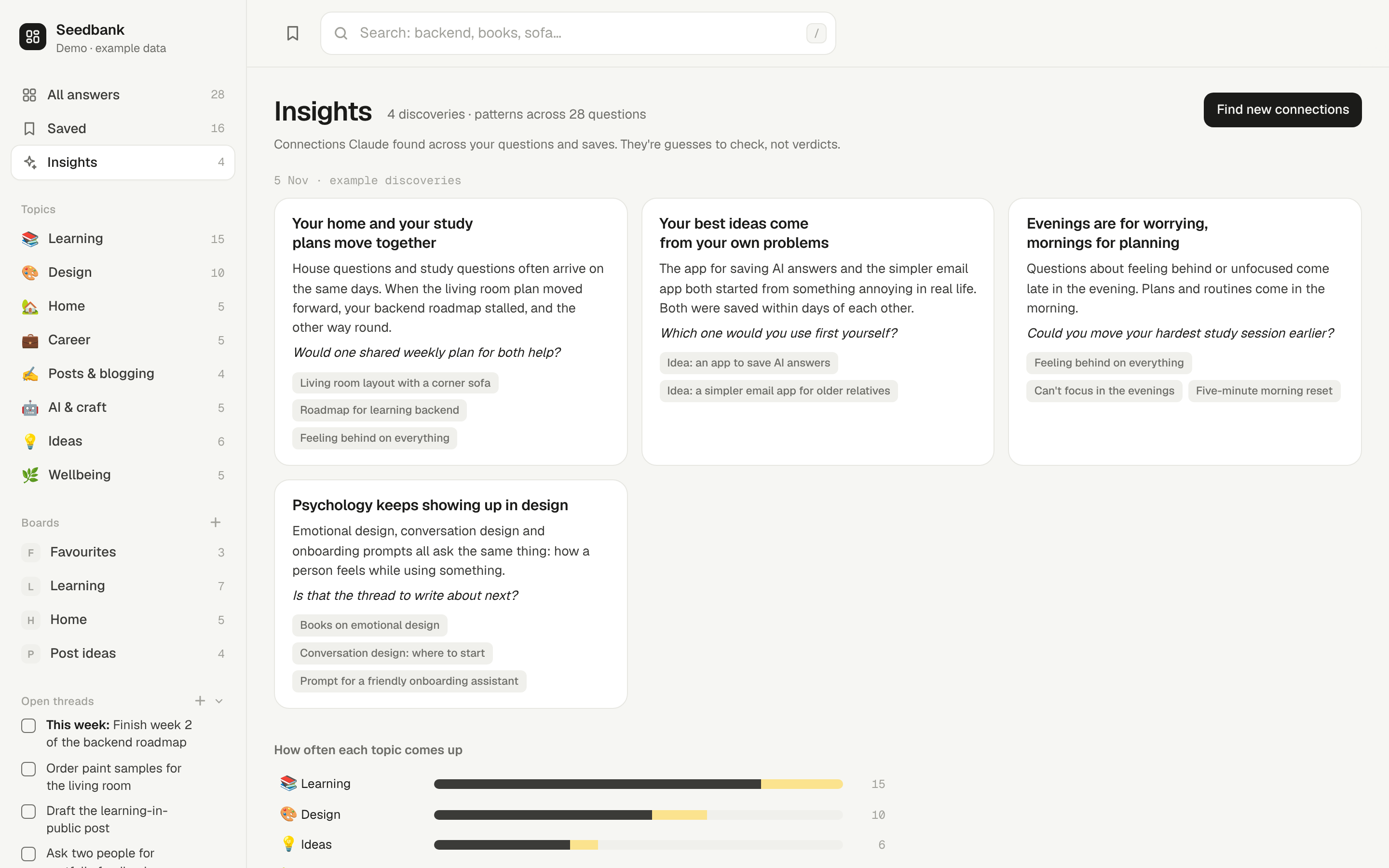
I called it Seedbank: plant every idea, let it wait, and keep the old ones in a vault you can always search.
None of this was planned. Each feature came from a moment when I needed it.
One afternoon of adapting it
I redesigned it myself. I took the code into Zed, the code editor I use every day, and gave it my own design: a sidebar, cards, a timeline, and a switch between a clean style and a Notion style. Then I brought it back, and Claude merged my design with the parts that save my data.
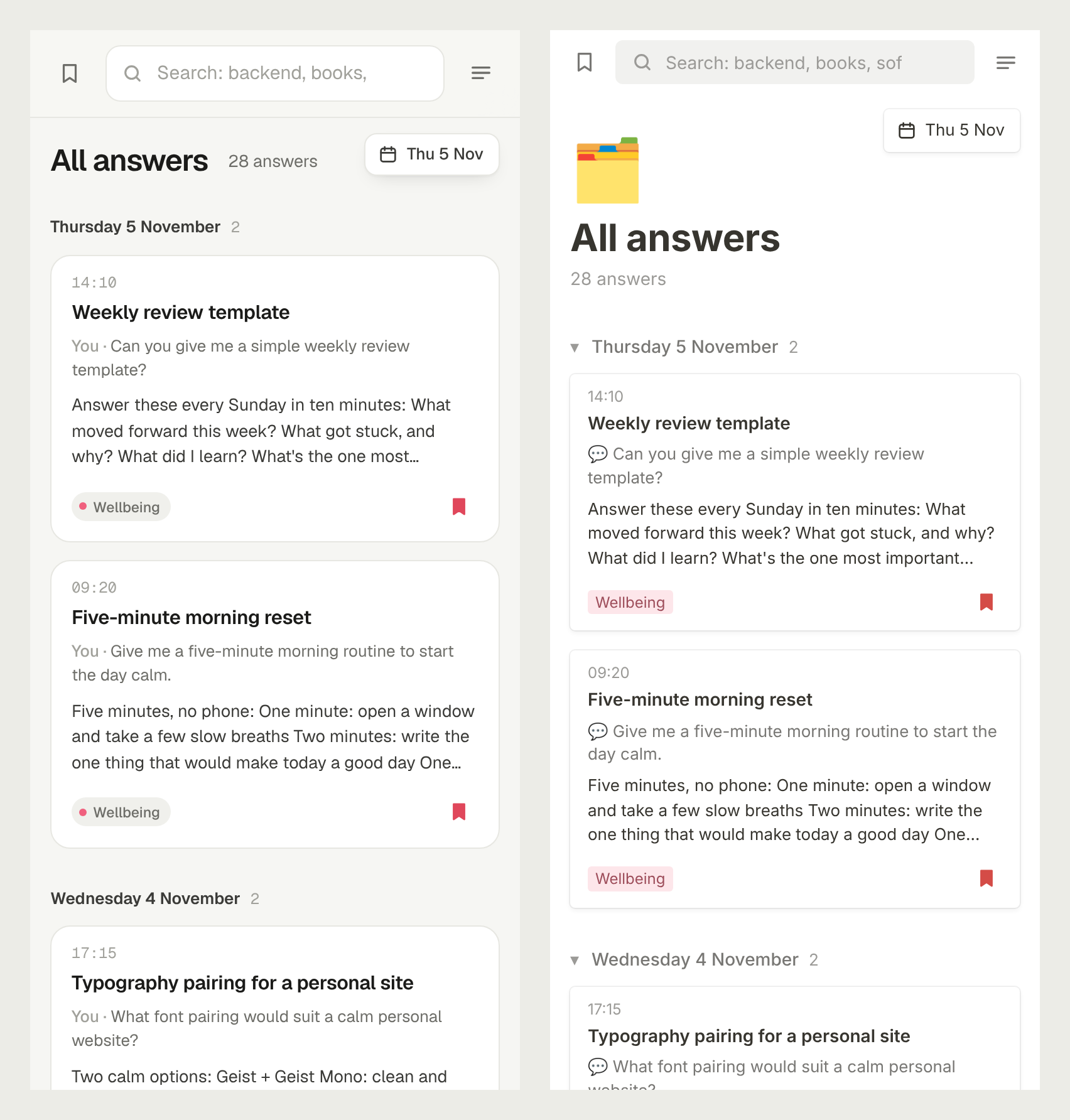
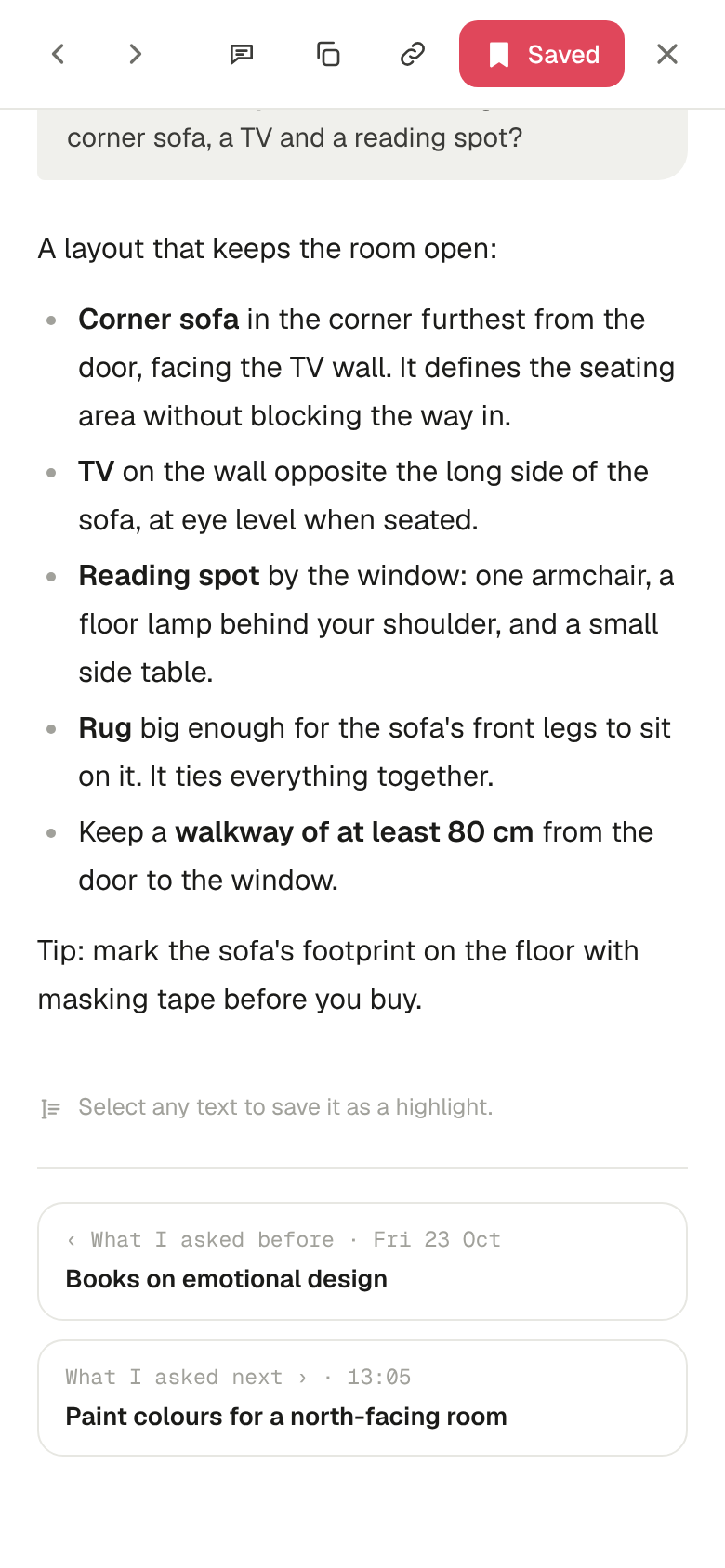
I added what I kept wishing for. Reading the conversation in order, with “What I asked before” and “What I asked next”, like pages of a book. Jumping from a saved answer back to that moment in the conversation. Renaming boards. Hiding the delete button so I don’t tap it by accident. A Blogging topic, because I’m writing more.
I showed it what I wanted. I sent two screenshots: the notes it had built, and my notes in Apple Notes. “What we have for notes and what I want.” Soon after, notes opened as a full page, with a title, checklists with circles to tick, and saving as I type.
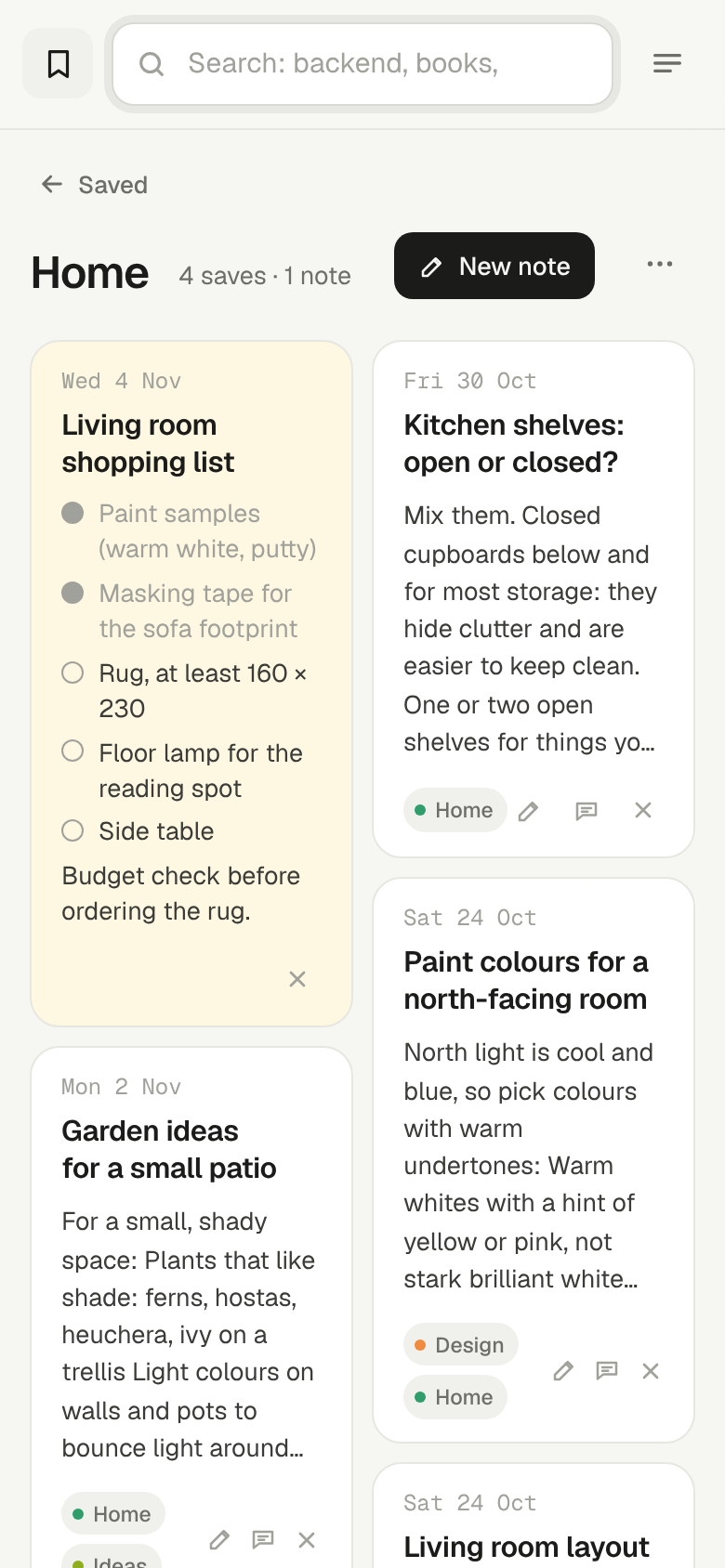
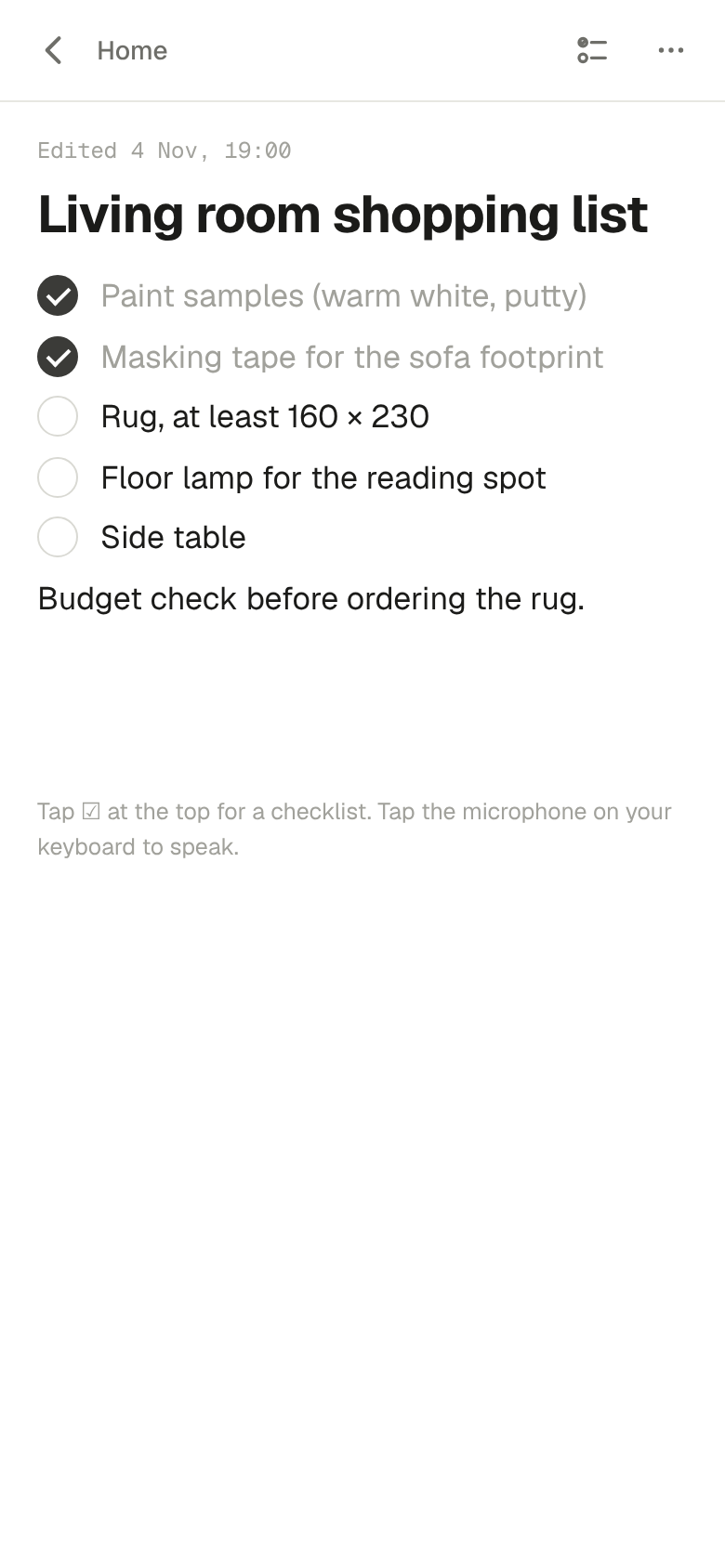
Almost all of this happened on my phone, in a chat. No terminal, no setup, no special equipment. I described what I needed in plain words and checked the result.
It wasn’t magic: adapting still needs a human
This part matters, so I’ll be honest about it.
It made mistakes, and I caught them. Its tests said every answer fit the screen. On my iPhone, answers with long links slid sideways. The tests had run in a different browser on a computer. I found the problem in seconds, just by using it.
I had to teach it how I work. Once it built a feature I hadn’t asked for. So I gave it a rule: show me a plan first and wait for my yes. It has followed that rule since. It’s like working with a new colleague: they’re fast, but they need to learn how you like things done.
It has limits. It can’t read my Apple Notes, so there’s no quick way to bring my old notes in. For now. The app can’t update itself from our chat; Claude updates it. And when our conversation got too long, it was compressed, and two and a half hours of answers lost their full text. Now every answer is backed up as we go.
The tool adapted to me. But I still did the deciding, the designing and the testing.
A market of one-user apps
This is the part I keep thinking about.
Most software is designed for millions of people, so everyone gets the same buttons. We adapt to it. We learn its menus, its logic and its workarounds.
Seedbank is the opposite. It fits how I think and organise my work, my learning and my life: the topics I care about, boards named my way, a note for “what to post”. Nobody else needs exactly this app. And I didn’t have to learn anyone else’s.
That’s the idea from the start of this post, working in practice.
The thing that builds it might be the most adaptive software of all. Claude isn’t one app. It can become whichever app you need, and change its shape in minutes. My first version had a general design. A few minutes later it had a Notion skin. Any other look is one sentence away.
That points to something new: a market of one-user apps. Tools made for exactly one person, and reshaped whenever that person changes. And Claude, or any AI like it, as the factory: a helper that builds each person their own adaptive app.
Email, the way my mum would design it
Adaptive software matters most for the people who struggle with software today, not for engineers like me.
My mum isn’t very technical. Sending an email is always hard for her: too many buttons, folders and settings she’ll never use.
Now imagine Claude, or any other AI, gets a little more advanced. She describes what she needs in her own words: “Show me messages from my family. Let me answer by talking. Hide everything else.” And she gets an email app that works the way she understands it.
Would someone who isn’t a software engineer spend time on this? I honestly don’t know yet. Today it still helps to know what to ask for and how to spot what’s broken. But each step gets easier. This isn’t the future anymore. It’s starting now.
So, is my job doomed by AI?
Somewhere between fixing a bug and adding a notes page, I stopped and asked Claude: “If you can build custom apps from my description, is my job doomed by AI?”
I think the answer is no, but part of it is changing. Turning a clear description into working code is getting cheap. What’s getting more valuable is knowing what to build, for whom, and whether it actually works for people.
Looking back at today, that’s exactly what I did. I knew the problem because I lived it. I designed the app. I found what was broken. Claude did the typing.
As a former psychologist, that’s the part I care about most: not the code, but how people think, lose focus and forget, and building around that.
And as a designer, I keep wondering what software for this century really looks like. What the near future with AI will feel like, and how we can use these new technologies to build smarter things that are genuinely helpful and improve our lives.
A week ago, that was just an idea in my notes. Today it’s an app on my phone.
What’s next for Seedbank
I’ll keep using Seedbank and improving it until it’s genuinely helpful, not just a nice experiment. If you’d like to try it, let me know. If enough people ask, I’ll put it on GitHub so anyone can use it and shape it to their own needs.
This is a seedling. I’ll add to it as the idea grows.